Purchase a Cluster
Zeabur offers a one-click flow for creating a Linode cluster, ideal for teams that want a ready-to-use Kubernetes cluster without manually setting up a control plane, node pools, and network configuration.
Before You Start
- Make sure your Zeabur account has a valid payment method or sufficient balance.
- Decide on the region and node plan for your cluster.
Purchase Steps
Log in to Zeabur
Go to the Servers page.
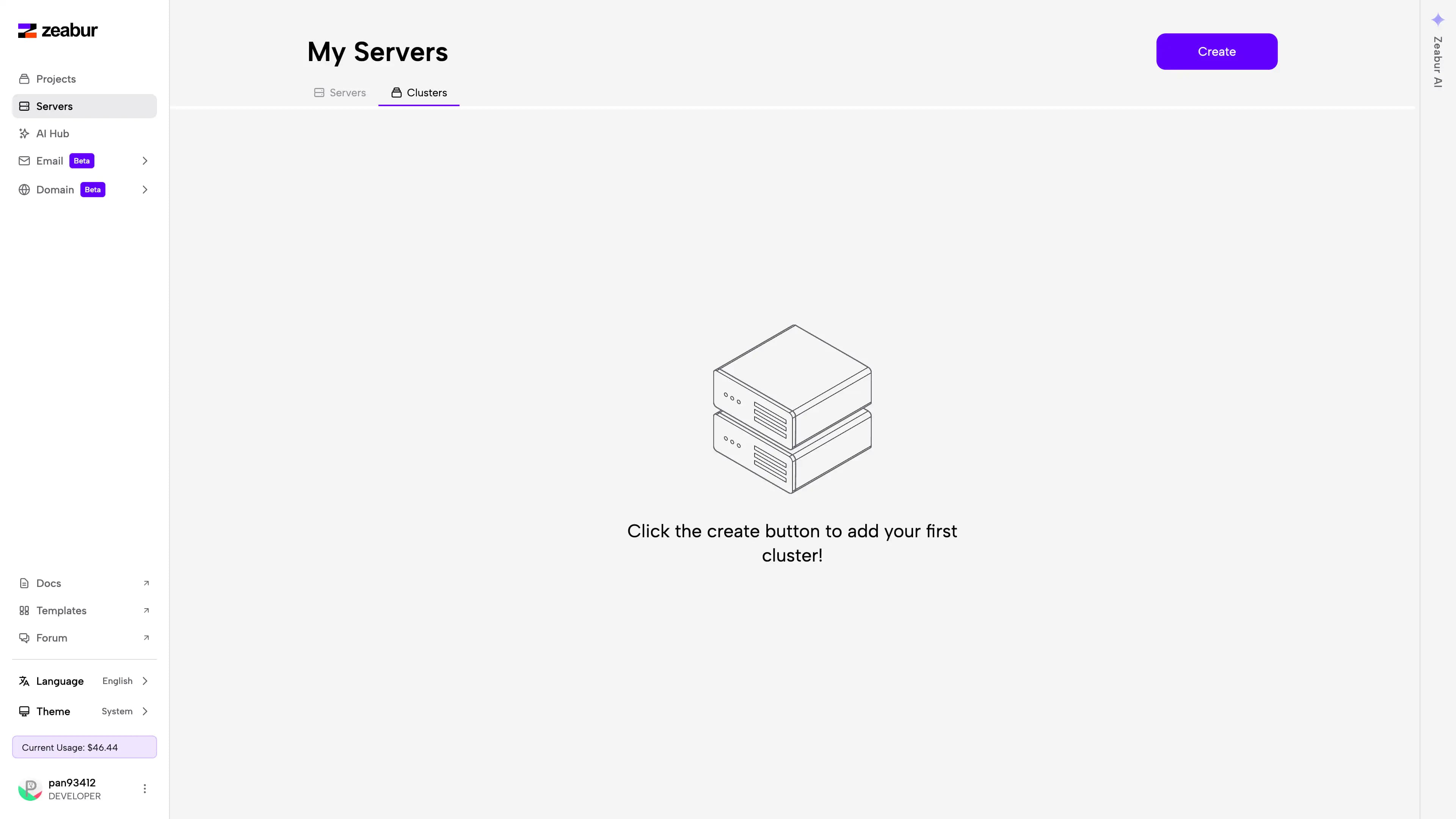
Select Cluster and Create
Select Cluster, then click Create in the top-right corner.
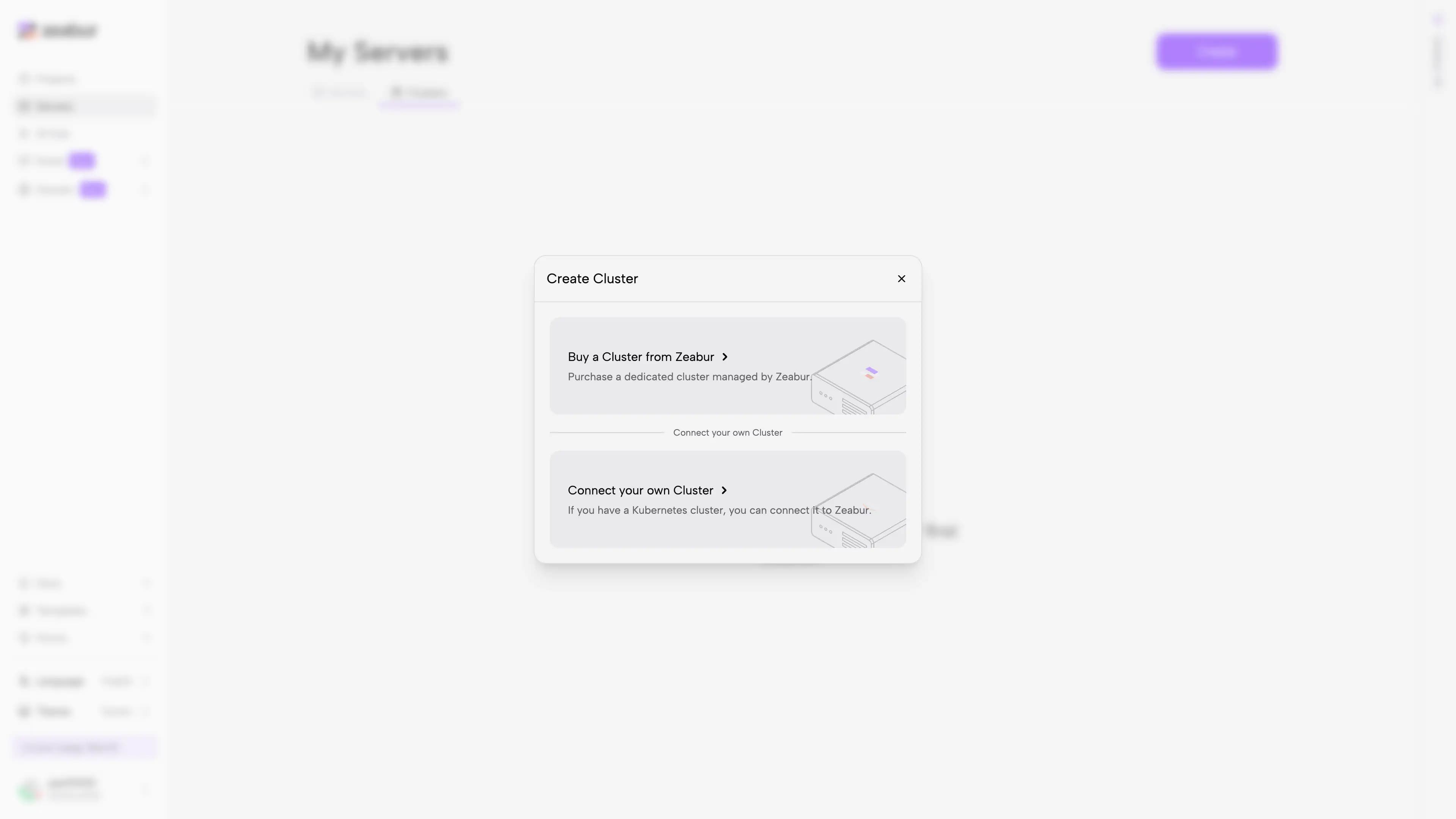
Choose Buy a Cluster from Zeabur
In the creation flow, select Buy a Cluster from Zeabur.
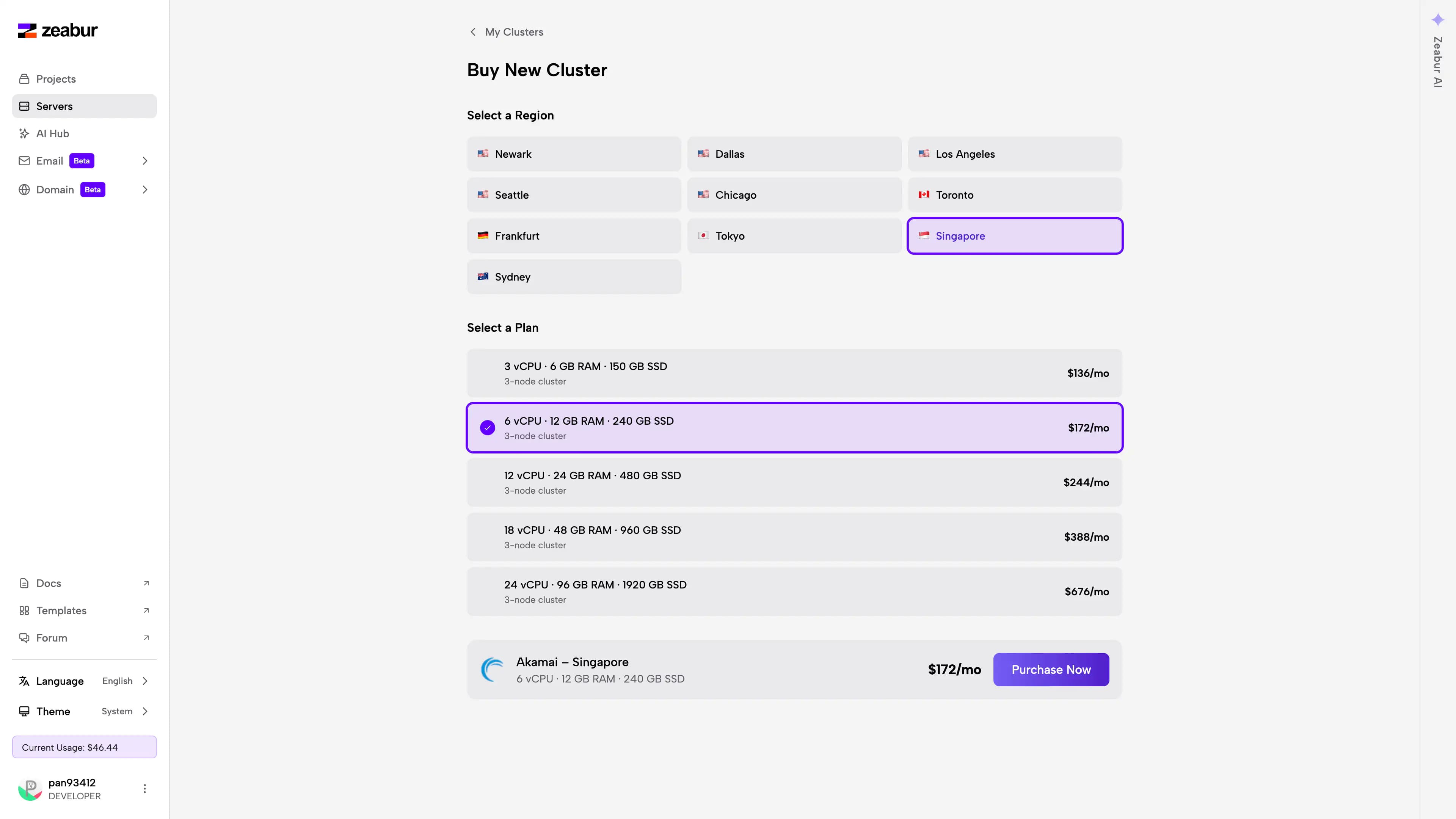
Choose region and node plan
Choose a cluster region and node plan, then click Purchase Now.
Review and submit your order
Review the cost and configuration, then submit your order.
Wait for cluster creation
Wait for Zeabur to finish creating and initializing the cluster — this typically takes 3–5 minutes.
Cluster appears in server list
Once complete, the new cluster will appear in your server list, and you can use it to create projects and deploy services directly from Zeabur.
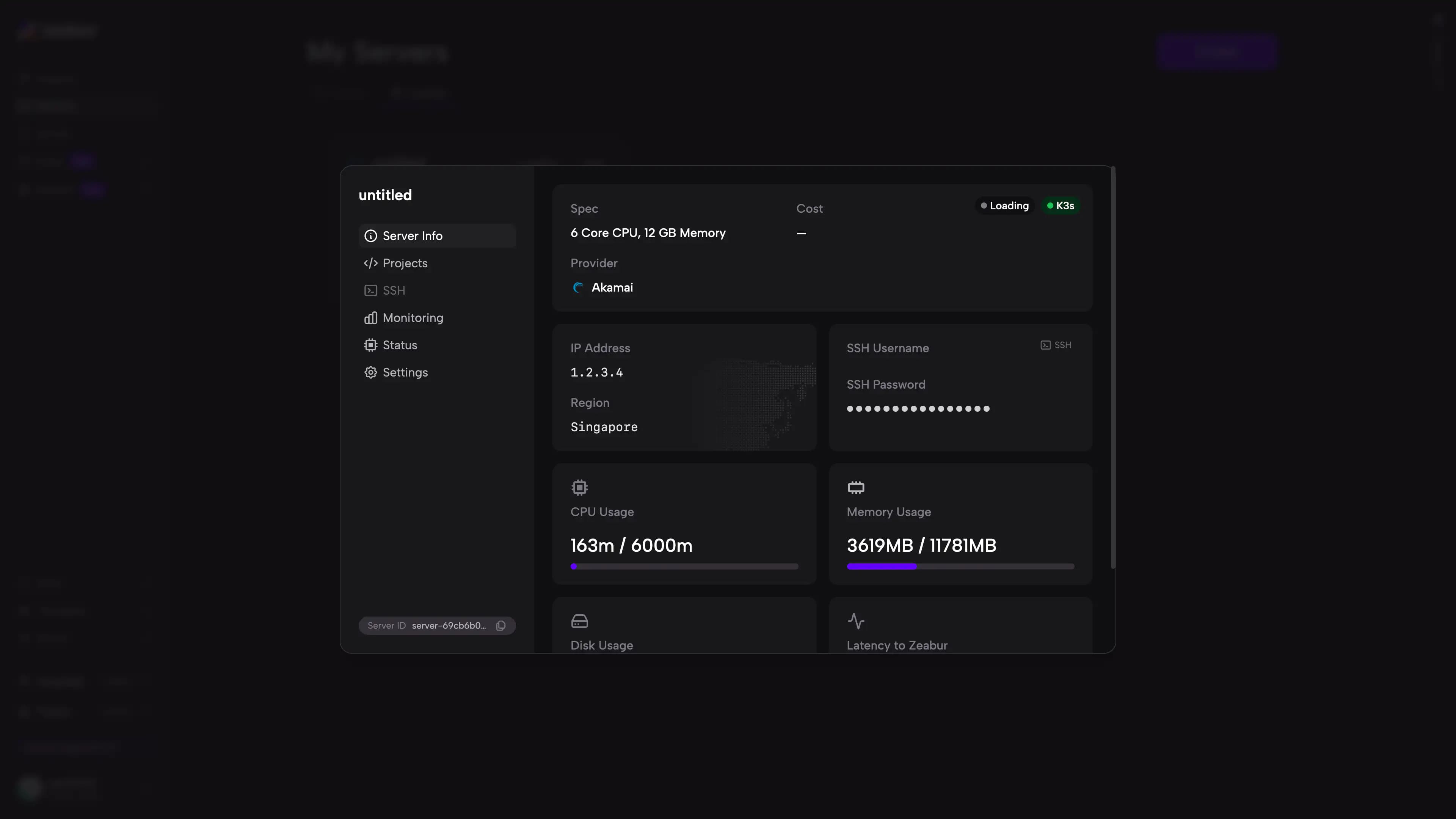
After the cluster is created, Zeabur handles the foundational setup required to onboard it, so you can manage deployments directly from the Dashboard without configuring Kubernetes components yourself.
Next Steps
- To connect an existing cluster to Zeabur, see Connect an Existing Cluster.
- If you’re still evaluating the difference between a single-node and multi-node setup, go back to the Clusters Overview.